
Find any 3D file on your computer. Instantly.
Once you try it, you'll wonder how you lived without it!
Stop wasting time hunting through endless folders for 3D files. Command3D scans your drives and finds every STL, OBJ, 3MF and slicer file you own — even inside ZIPs and RARs. Then it gives you an insanely fast search tool to find anything...in milliseconds.
One-time payment · 7-day free trial · No subscription
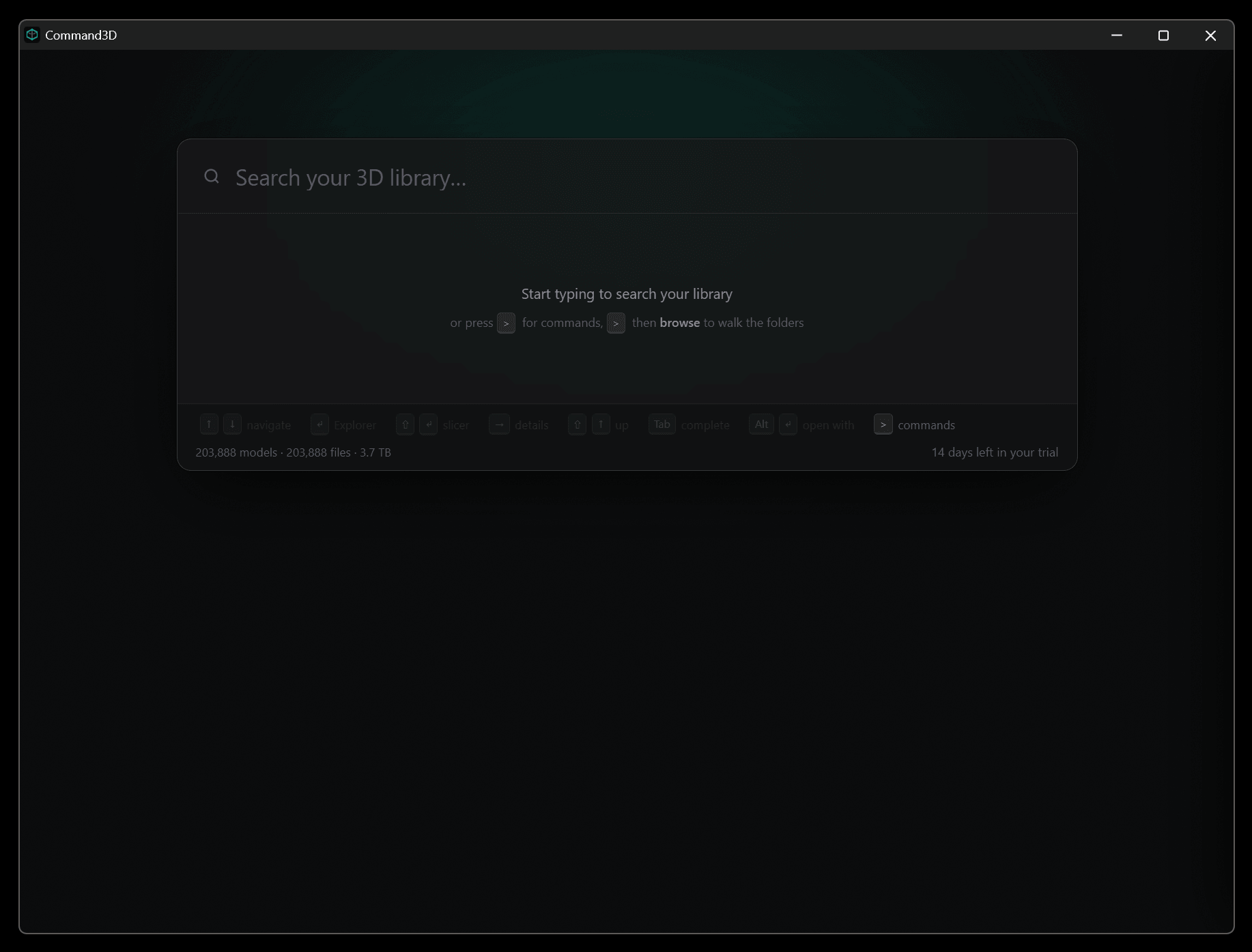
Your 3D library, at your fingertips
Built for 3D printing hobbyists, CAD engineers, artists and makers.
Instant Search
Every model on every drive, found as you type. Milliseconds across terabytes — and you never leave your keyboard.
3D Previews
See the actual model, its dimensions and triangle count before you open a single file.
Scan What You Choose
Point it at specific folders or whole drives. It even reads files inside ZIPs and RARs.
Every Format
STL, OBJ, 3MF, Chitubox, Lychee and more — sliced or raw, it's all indexed.
Dedupe Report
Finds whole models and identical files stored more than once, and helps you reclaim drive space.
Keyboard-First
Navigate folders, preview, open in your slicer or Explorer — all without touching the mouse.
Search
200,000 models. Results in milliseconds.
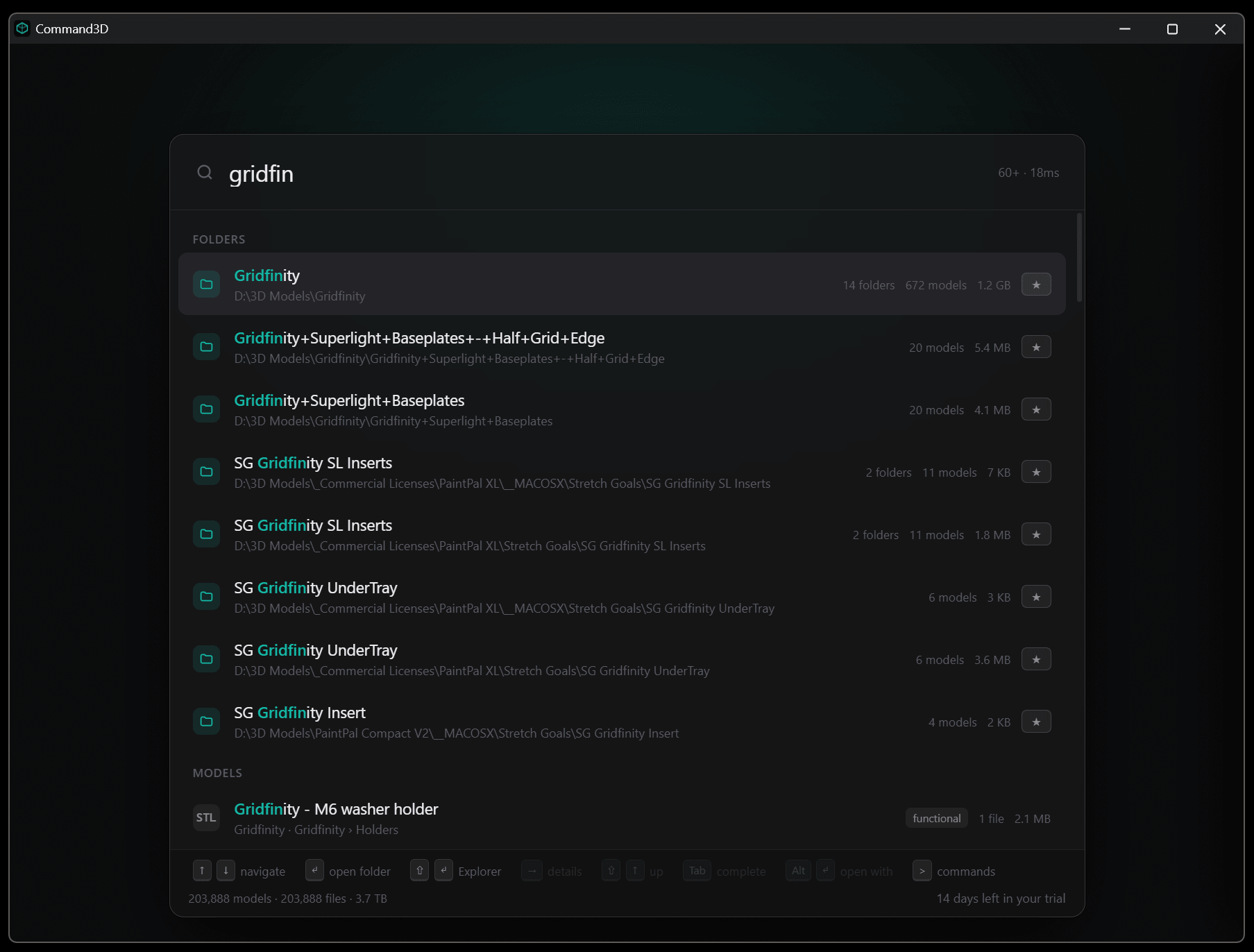
Type a few letters and Command3D surfaces matching folders and models across every indexed drive — with counts, sizes and full paths. You can type a few letters, hit the down arrow, hit enter and it will instantly open up an Explorer window showing the file. It's incredible how much faster it is to find your 3D files this way.
3D Preview the Files
See the model before you open it
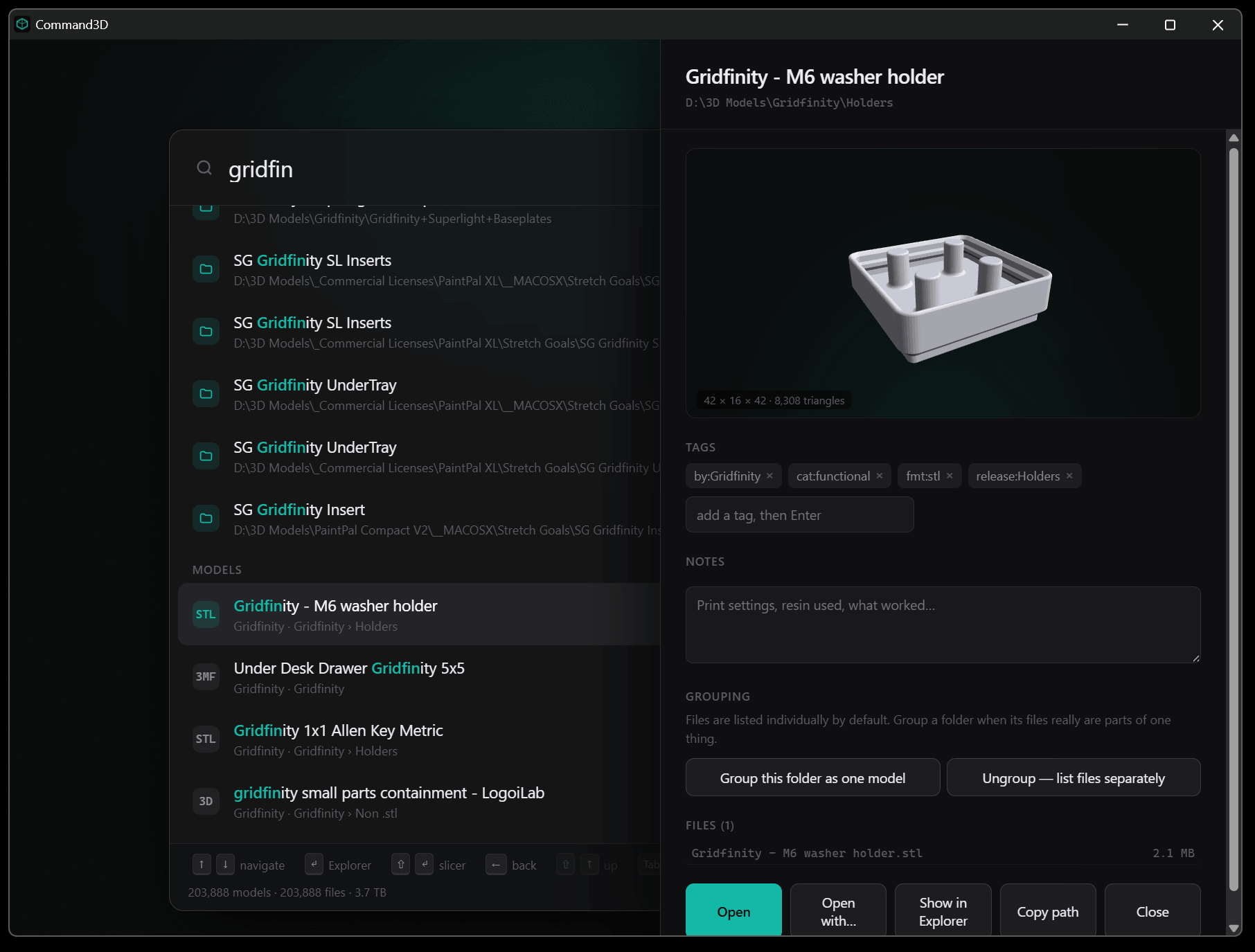
If you want to preview the file first, just hit the right arrow key, and it shows all the file info, along with instant 3D previews with dimensions and triangle counts. Add tags and print notes, group folders as one model, then open in your slicer or jump straight to Explorer — all without leaving your keyboard.
Organise
Never lose a 3D file or folder again
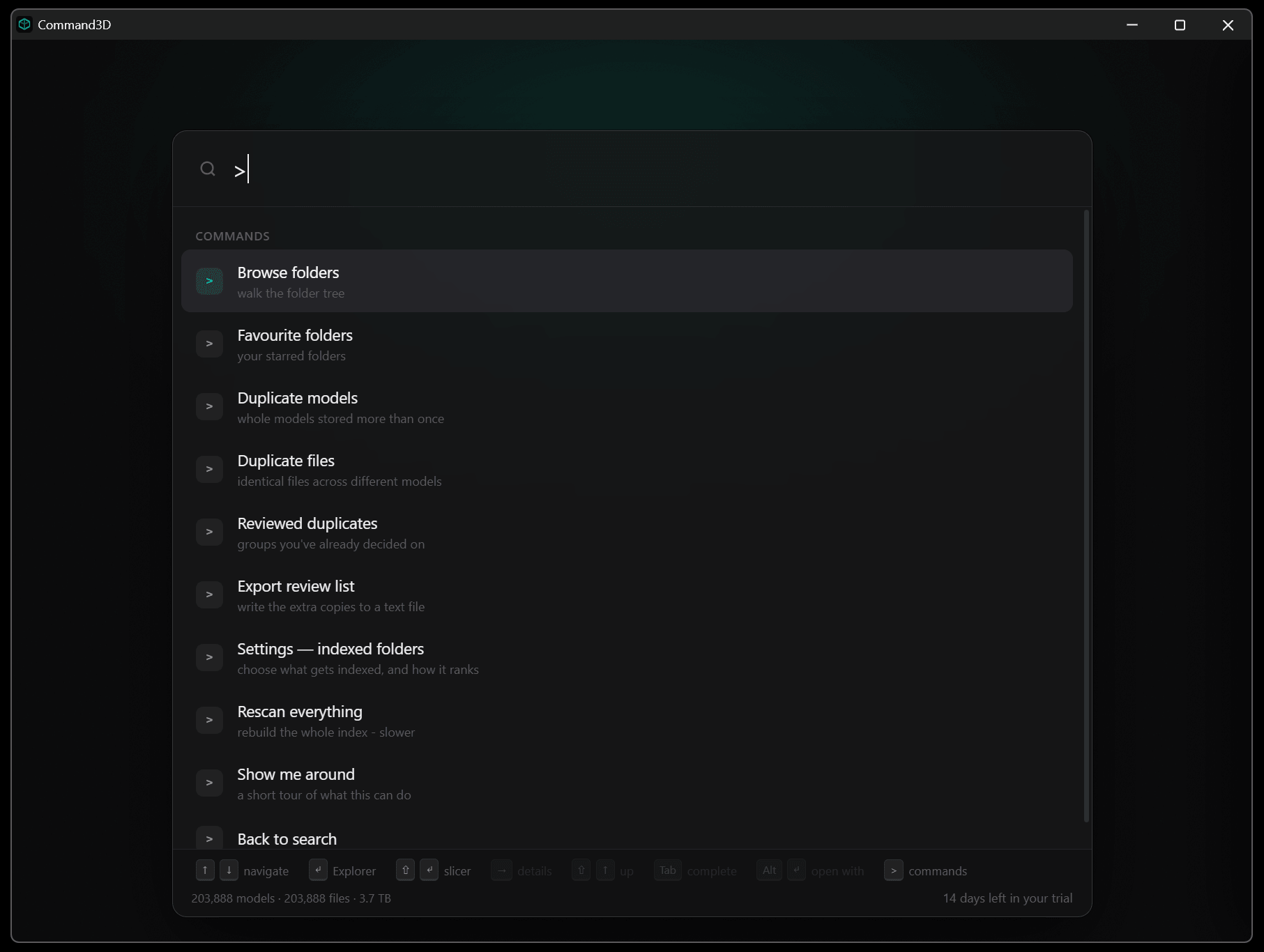
Choose the folders or drives to scan and Command3D does the rest — it even reads files inside ZIPs and RARs. Browse your real folder tree, or run the built-in dedupe report to reclaim drive space.
Loved by makers, hobbyists and artists alike
“I had 200k files across three drives and genuinely couldn't find anything. Now it's two keystrokes.”
Placeholder — swap me
3D printing hobbyist
“The dedupe report found hundreds of gigabytes of duplicate STLs I'd downloaded twice.”
Placeholder — swap me
Maker & tinkerer
“Previewing a model and jumping straight into the slicer without opening a folder is a massive workflow win.”
Placeholder — swap me
Product designer
Questions worth asking
Is it really that fast?
It is insanely fast!
Once Command3D has indexed your files, a one-time process which usually takes somewhere between 10-30 minutes, depending on the size of your library, everything is near enough instantaneous after that.
Our own library is a disorganised 200K+ files, around 4TB, spread across 4 drives of different speeds, some in folders, some loose in “Downloads” and some still in Zip/RAR files after downloading, that never got organised. It searches and returns results in an average time of 15-30ms. Even if you don’t know the filename exactly, it’s way faster to navigate folder structures. Start typing the folder name (or close enough) and it’s instantly there to start browing with the arrow keys, quick-filter even further by filename, and without leaving the keyboard, preview the item(s) you need, then Enter to open the explorer folder where they live, Shift+Enter to open in the slicer, or Alt-Enter to show the open with… options. What used to take me, no joke, minutes of searching through folders, or waiting for windows search to catch up, now takes less than 5s.
Will it move, rename or change any of my files?
No. Command3D only ever reads. It builds a separate index of what it finds and leaves every folder exactly as it is — nothing is moved, renamed, edited or deleted. That constraint shaped the whole design, and it is why it is safe to point at work you could not replace.
Is it safe to run on client work or an irreplaceable archive?
Yes, and that is the case it was built for. It opens files read-only to index them and never writes into your folders. Its own index and settings live somewhere else entirely, so even uninstalling it does not touch a single one of your models.
Can it delete my duplicates for me?
No, deliberately. The duplicate report tells you what it found and where, and stops there. Matching is done on file contents rather than filenames, so two files that merely share a name are never confused — but the decision to delete anything stays yours.
What gets sent over the internet?
Your licence key and an anonymous fingerprint of your machine. That is the entire list. No filename, folder name, model or file ever leaves your computer, and there is no analytics or telemetry of any kind.
Does it need an internet connection?
Only to check your licence, which happens when you activate and roughly once a week after that. Everything else — indexing, searching, previewing — works entirely offline. If the check cannot get through, the app carries on working for a period of time rather than locking you out.
What about my Dropbox or OneDrive folder?
Cloud folders are left out by default, so sync placeholders are never pulled down behind your back and your online-only files stay online. You can include them if you want to, but they’re off by default.
How much space does the index take?
Roughly a tenth of a percent of what it indexes — a few hundred megabytes for a library of several terabytes. You can put it on a different drive if you would rather keep it off your system disk. We include a portable version that can run in its own folder wherever you’d like.
How long does the first scan take?
Minutes rather than hours, even on a very large library, and you can keep using the app while it runs. After that, rescanning a single folder takes seconds — there is no need to rebuild the whole thing when you add files.
Which file types does it handle?
STL, OBJ, 3MF and STEP, slicer projects from Bambu Studio, Orca, Cura and PrusaSlicer, plus Chitubox and Lychee resin files. It also reads the file listings inside ZIP, RAR and 7z archives, so models you downloaded and never unpacked are still findable.
Windows warned me the app is not signed. Is something wrong?
No. Command3D is not yet code-signed, so SmartScreen shows a warning the first time you run it — click More info, then Run anyway. Every unsigned program does this, and a signing certificate costs several hundred pounds a year. We would rather be straight with you about it than pretend it will not happen.
What happens when my trial runs out?
The app stops until you add a licence key. Nothing is lost — your index, tags and notes are all still there, and activating brings you straight back to where you were.
I have a new computer. What do I do?
Release the old machine in Settings and activate the new one. Two clicks, no email to us. Your licence covers three machines at a time and you can move between them as often as you like.
Does it need admin rights?
No. It installs and runs as your own user, and only reads the folders you point it at.
Is there a Mac version?
Not yet — Windows 10 and 11 only. A macOS version is planned, and if it arrives your licence will also cover it.
Stop hunting. Start printing.
Try Command3D free for 7 days, then keep it forever for £19.
No subscription. No upsells. Free updates.
Lifetime licence